
Everything on one simple menu
Senior Streamers puts TV, video calls and family messages behind one menu and one remote. Big text, big buttons, and HOME always goes back to the start.
The Main Menu
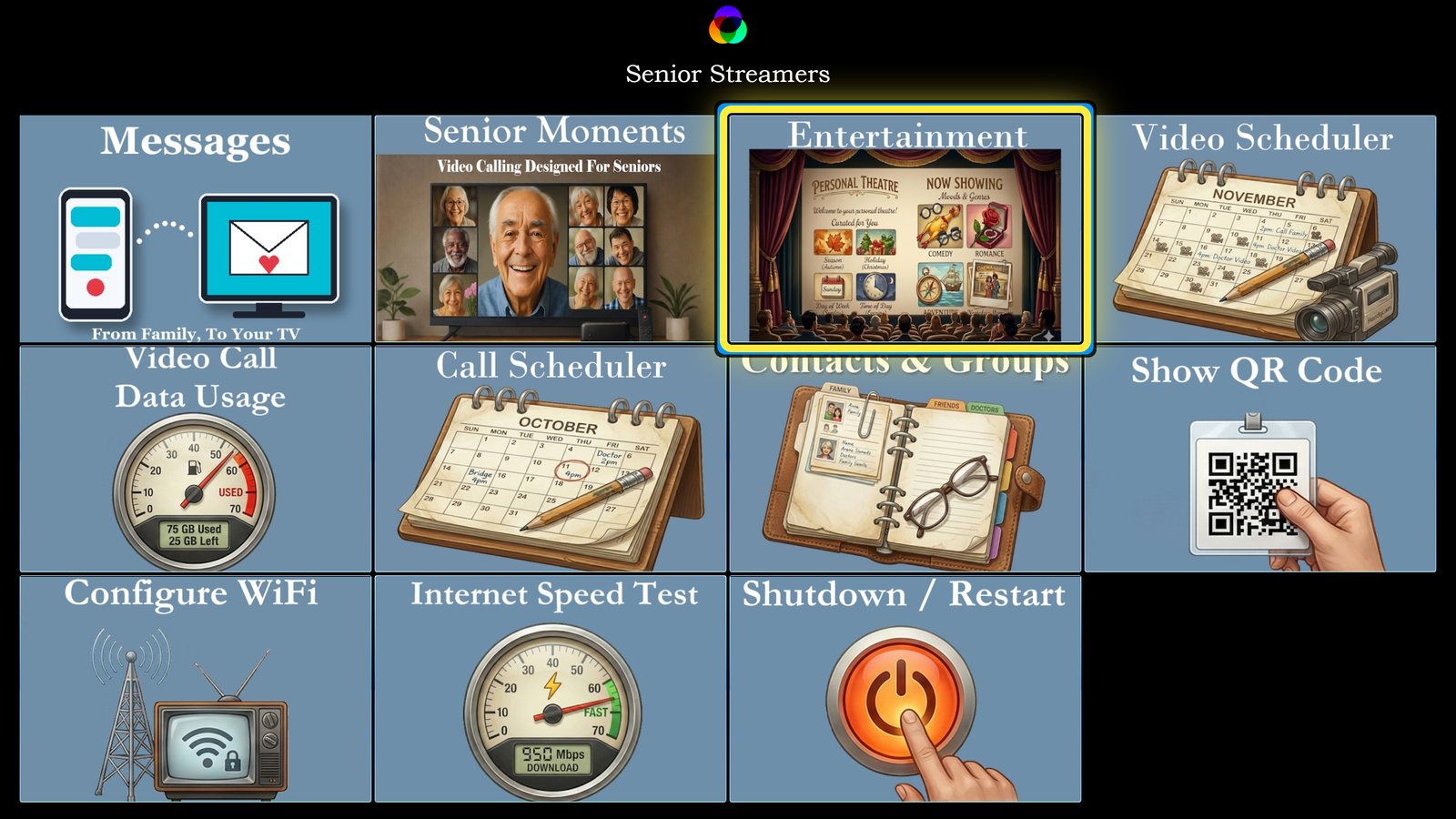
Every part of Senior Streamers starts here. Messages sits first, with a number showing anything new from family. A yellow outline shows where the resident is, and OK opens the card.
- Messages, Senior Moments video calls, Entertainment, Video Scheduler
- Call Scheduler, Contacts & Groups, data usage and Wi-Fi tools
- The same menu on every TV, so staff learn it once
Live TV, classic shows and the resident's own videos
3,000+ live channels
A TV guide by category, Favorites with the resident's own groups, and Continue Watching.
Golden Oldies
4,485 classic series and films, about 42,900 episodes, sorted by decade, with Autoplay and Resume.
Playlists & scheduling
Mix live channels, classic episodes and family videos, then play them at set times each day.
Picks for each resident
Recommendations from the resident's interests and viewing. Mature titles are never suggested.
My Videos
Videos from family, links they share, and messages the resident records, kept on the box.
History & Resume
Everything recently watched, ready to pick up exactly where the resident stopped.
Family on the big screen
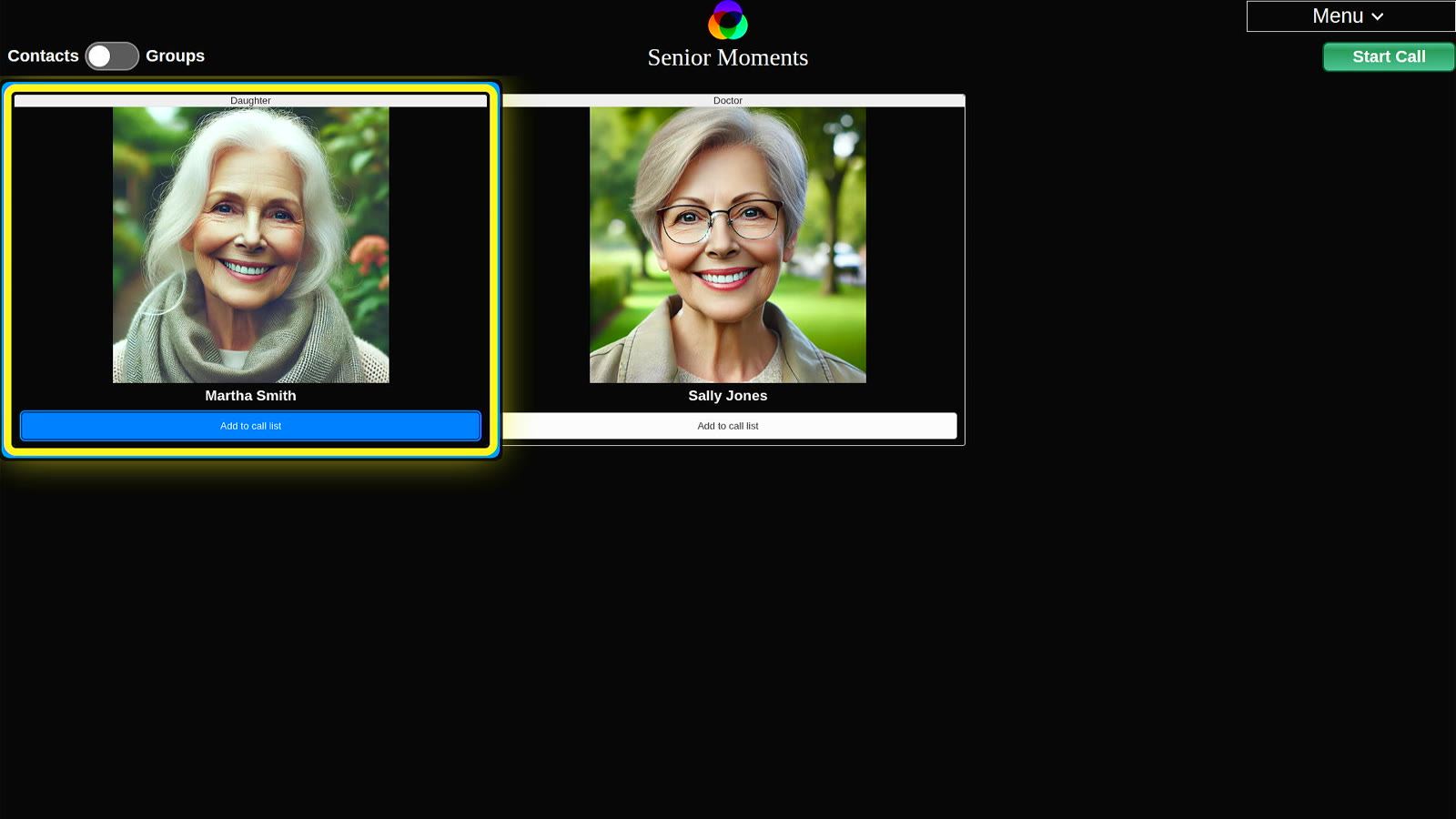
Senior Moments is the video-calling part of Senior Streamers. The resident picks a face, presses OK, and the call starts on the TV with the camera and microphone that come in the kit.
- Contacts with photos and relationships, so the resident always knows who is who
- Groups for calling the whole family at once
- A six-digit PIN before each call, so nobody else in the room can call as the resident
- Invitations by email and text; family join from their phone or computer
- Scheduled calls for a weekly family check-in, set up in the Call Scheduler
Family can ask for a call
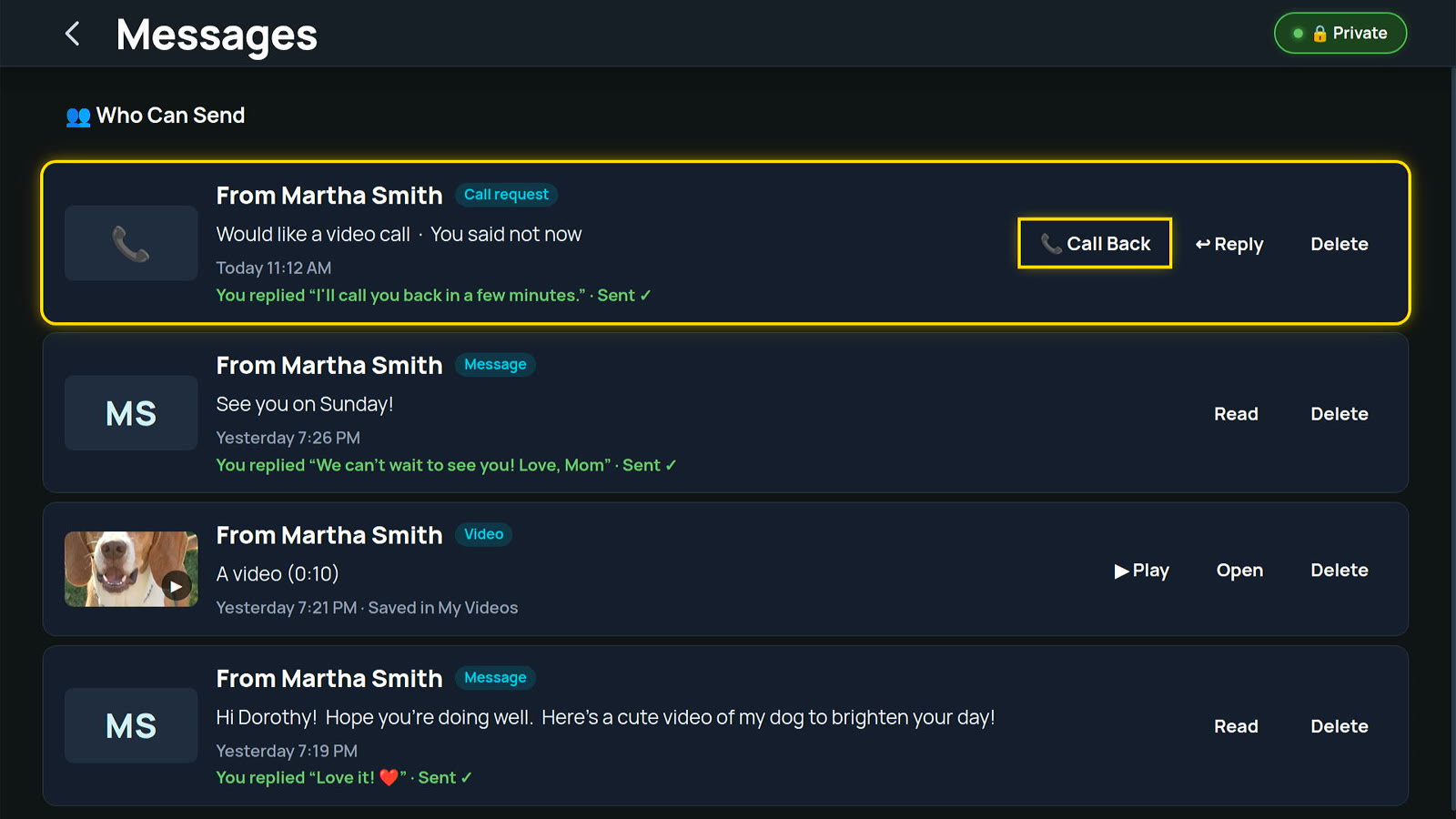
From their private link page, a family member taps "Ask for a video call". The TV rings and shows who would like to talk. Answer starts the call straight away. Not now sends a ready-made reply, like "I'll call you back in a few minutes", or one the resident types.
- Quiet times, like meals and sleep, when requests wait instead of ringing
- A waiting time before someone can ask again (10 minutes to start)
- Ring or leave a request, set for each person
- Already on a call? Add the new caller, or reply later
Messages from family, straight to the TV
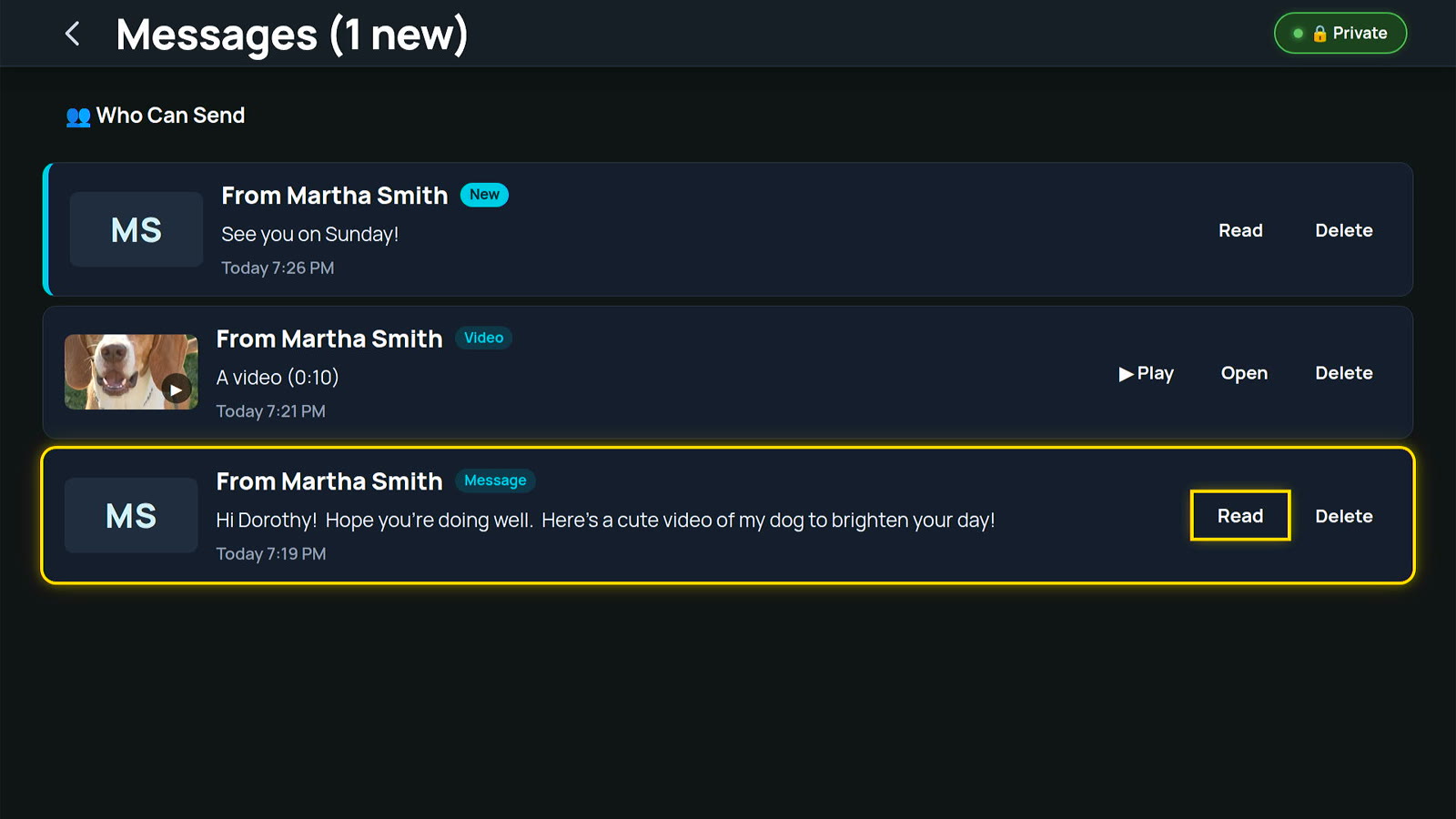
Each family member gets a private link. From it they send messages and videos that arrive on the TV with a gentle chime and a notice, without stopping the show.
- Read It to Me speaks a message aloud
- Reply with one press, like "Love it! ❤️", or type an answer on the on-screen keyboard
- Videos play on the big screen and are saved to My Videos
- Private by design: only people in Contacts get a link, and a new link stops the old one instantly
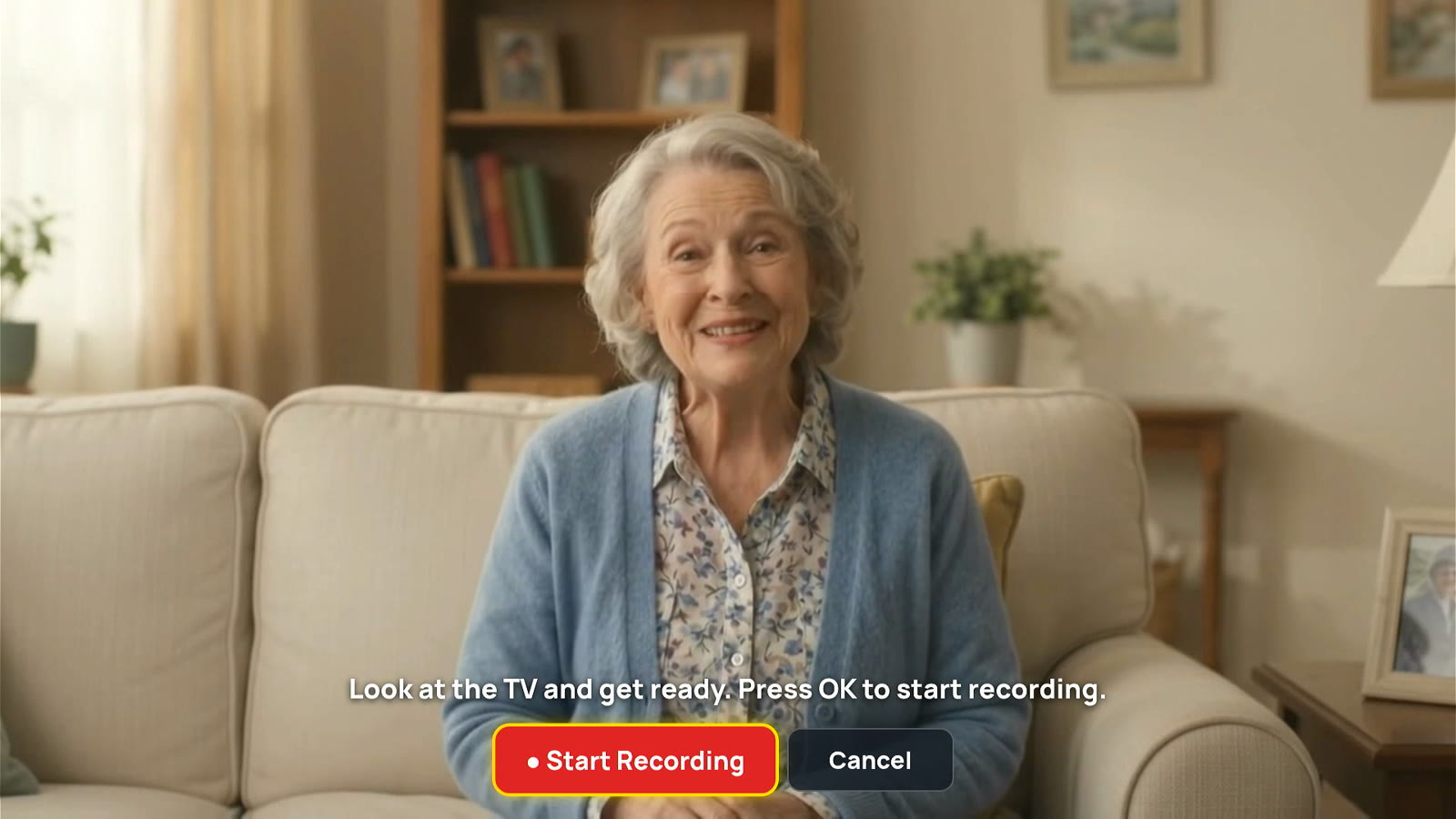
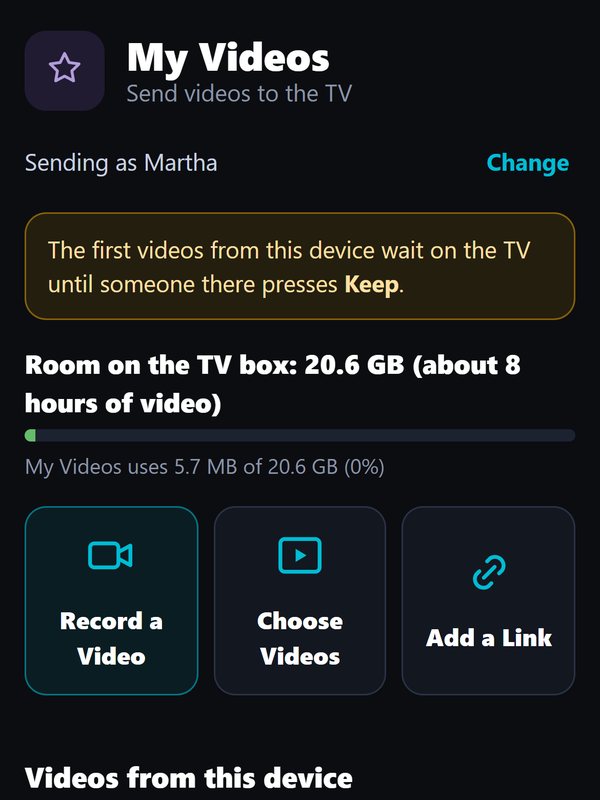
The resident can also send their own videos to family by email or text, straight from My Videos.
Made for the person holding the remote
A remote with big, clear buttons
HOME goes back to the Main Menu from anywhere. PLAY-PAUSE pauses and resumes. END stops a show or hangs up a call. SWAP flips between a call and the menu. VOL and MUTE work everywhere.
Voice commands
Press MIC and say "louder", "call Martha" or "show QR code".
Captions, in a size they can read
Closed captions on channels that provide them, in small, medium or large text.
Comfortable sound
A default volume for every video, plus messages read aloud on request.
Turns the TV on for them
On most TVs, Senior Streamers turns the TV on and switches to the right input by itself, using the TV's HDMI control.
A phone can be the remote
An approved phone works as a second remote, with the same buttons. Handy for visitors and staff.
Are you still watching?
If nobody presses a button for a long time, the TV asks. The screen turns off after hours of no activity.
Set up for each resident
Name, birthday, language, interests, a photo and a PIN, entered once in a five-minute on-screen setup.
Less time on the TV, more time with residents
Video Scheduler & TV Hours
Schedule playlists to play at set times, and set the hours the TV is on each day.
Call Scheduler
Book recurring family calls, so the weekly check-in happens without anyone remembering to dial.
Contacts & Groups
Add family, friends and care staff with photos, on the TV or from an approved phone.
Who Can Send
Turn each person's messages on or off, set quiet times, limit video size, and replace a link in one step.
Remote Help
Helpers the resident trusts can open menus, change channels or start a playlist from anywhere, only with the resident's permission. A banner shows who is helping.
Wi-Fi tools on the TV
Change Wi-Fi networks with the on-screen keyboard, run a speed test, and check video-call data use.
What we are building next
Senior Streamers gets better over time. These are the next two features on the way.
Premium streaming services
The subscription streaming services residents already pay for, on the same Senior Streamers menu, with the same simple remote and the same recommendations. Arriving with the next Senior Streamers box.
An AI companion residents can talk to
Residents will be able to ask questions out loud, hear the weather and headlines, set spoken reminders and simply have a conversation. It is designed for privacy: conversations are not sent to big-tech AI services.
See every feature in 30 days, free
Try one Senior Streamers box in one room. Our customer care team helps set it up.